
Dungeon Launcher
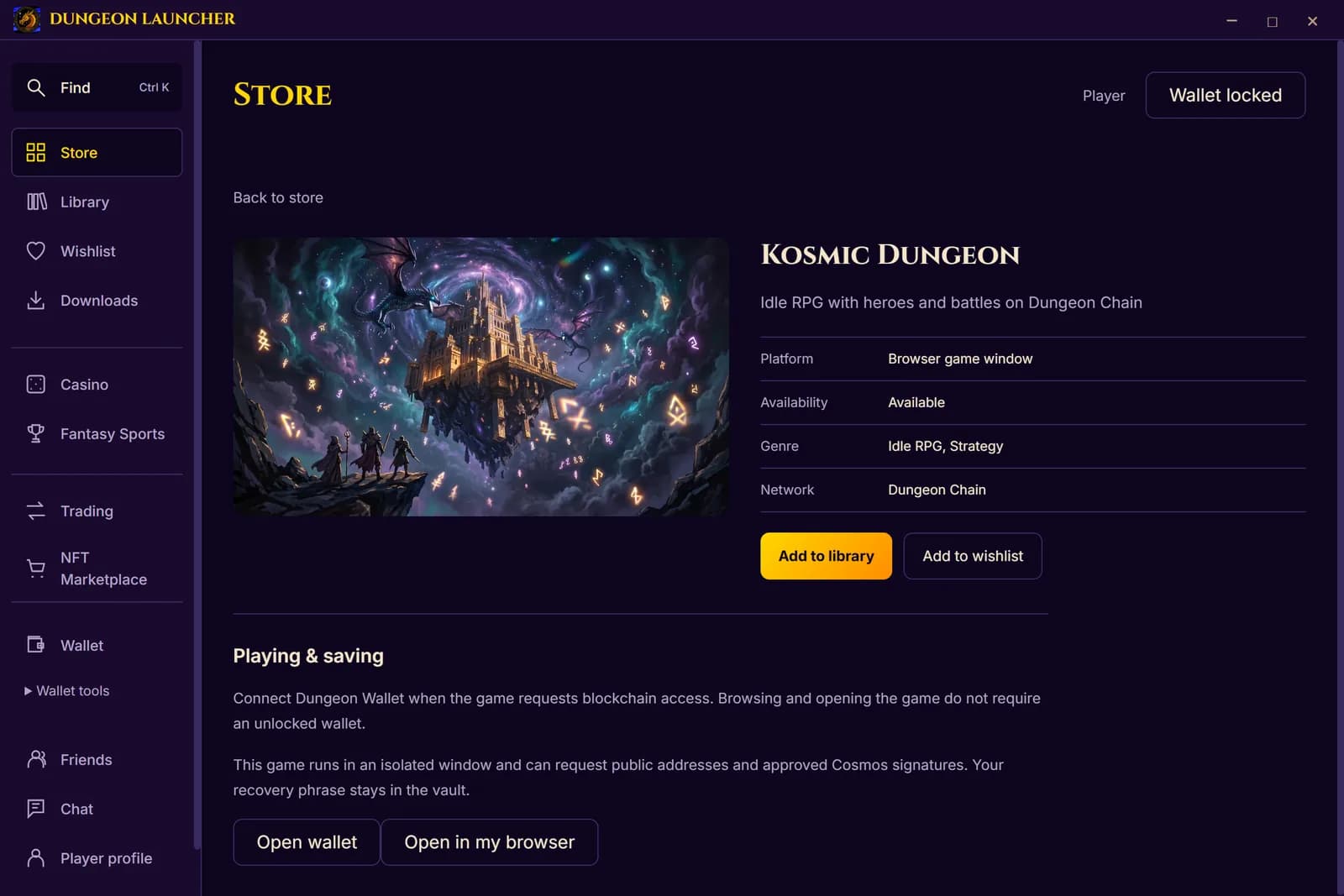
23 Dungeon games in one app. Build a city in Kosmic Dungeon, draft a team in Fantasy Sports, run a 5e tabletop campaign with friends, or grab a quick Arcade run. Keep your games in one library and launch them from one place.
On Windows, SmartScreen may say “Windows protected your PC”. Click More info, check the publisher reads Lee Berman, then choose Run anyway.
Windows, macOS and Linux downloads · Try Kosmic Dungeon in your browser
Open beta. Browse the store first. Playing through the launcher requires wallet setup and unlock. Game signatures still need your approval. Native Oathforge and Kosmic downloads require Windows.
Version 3.0.0-beta.81 · 2026-10-21 · Windows 257 MB · macOS 378 MB · Linux AppImage 268 MB · Linux Debian 235 MB
What will you play first?
Kosmic Dungeon
Build your city, assemble your party and take on turn-based battles. Your heroes keep progressing between visits.
Get the launcher for Kosmic DungeonKosmic Monsters
Collect monsters, build your team and choose your moves in tactical battles.
Get the launcher for Kosmic MonstersAscendancy
Grow your settlement and plan your next move in a fantasy strategy game.
Get the launcher for AscendancyDungeon Fantasy Sports
Draft a team, set your lineup each week and play your friends in season-long leagues.
Get the launcher for Fantasy SportsTabletop: Lastlight
A 5th-edition tabletop RPG table for a GM and their players: shared 3D maps with fog and miniatures, dice, a guided character builder with all twelve SRD classes, linked combat health and a session journal. Invite your group with a private code.
Get the launcher for TabletopThe Arcade and more
Twelve quick Arcade games like Dragon Merge, Runeword, Tri-Peaks and Crypt Runner, plus Dungeon Academy, Dungeon Casino, Oathforge, Kosmic Dragoon and Kosmic Quest.
Get the launcherThese browser games run inside the launcher on Windows, macOS and Linux.
Download
Download for Linux — AppImage · 268 MB
Download for Linux — Debian / Ubuntu · 235 MB
macOS 14 or later. One universal installer supports Apple silicon and Intel. Open the DMG, drag Dungeon Launcher into Applications, then open it there. Updates download automatically and install when you quit or choose Restart.
Linux 64-bit (x86_64). For the AppImage, allow the downloaded file to run as a program in its file properties, then open it. Install the Debian / Ubuntu package with your package manager. Automatic launcher updates use the AppImage; Debian package users download the latest .deb here.
Windows 10 or 11, 64-bit. Run the installer, choose a folder, and the launcher opens on its store. All releases, including older ones, are listed at the release page.
Signed, and checked
The Windows installer and the application inside it are code-signed as Lee Berman and timestamped by Microsoft, so Windows can tell who published them. A new certificate has little reputation at first, so SmartScreen may still show a blue “Windows protected your PC” screen; click More info and check that the publisher name matches before you choose Run anyway.
The Mac application and DMG are signed with Crypto Dungeon LLC's Apple Developer ID, notarized by Apple and checked with Gatekeeper. The updater delivers the same signed universal application.
Installer SHA-256: 9e5ef99f9efea4143f58ea58211217d3343202cf01819daf827b02bb413be58d
Inside the launcher, every native game it installs is verified against the checksum in its signed release manifest before anything runs, and updates are checked the same way. Web games open in an isolated window; they can ask the wallet for a signature, and you approve each request.
What is in it
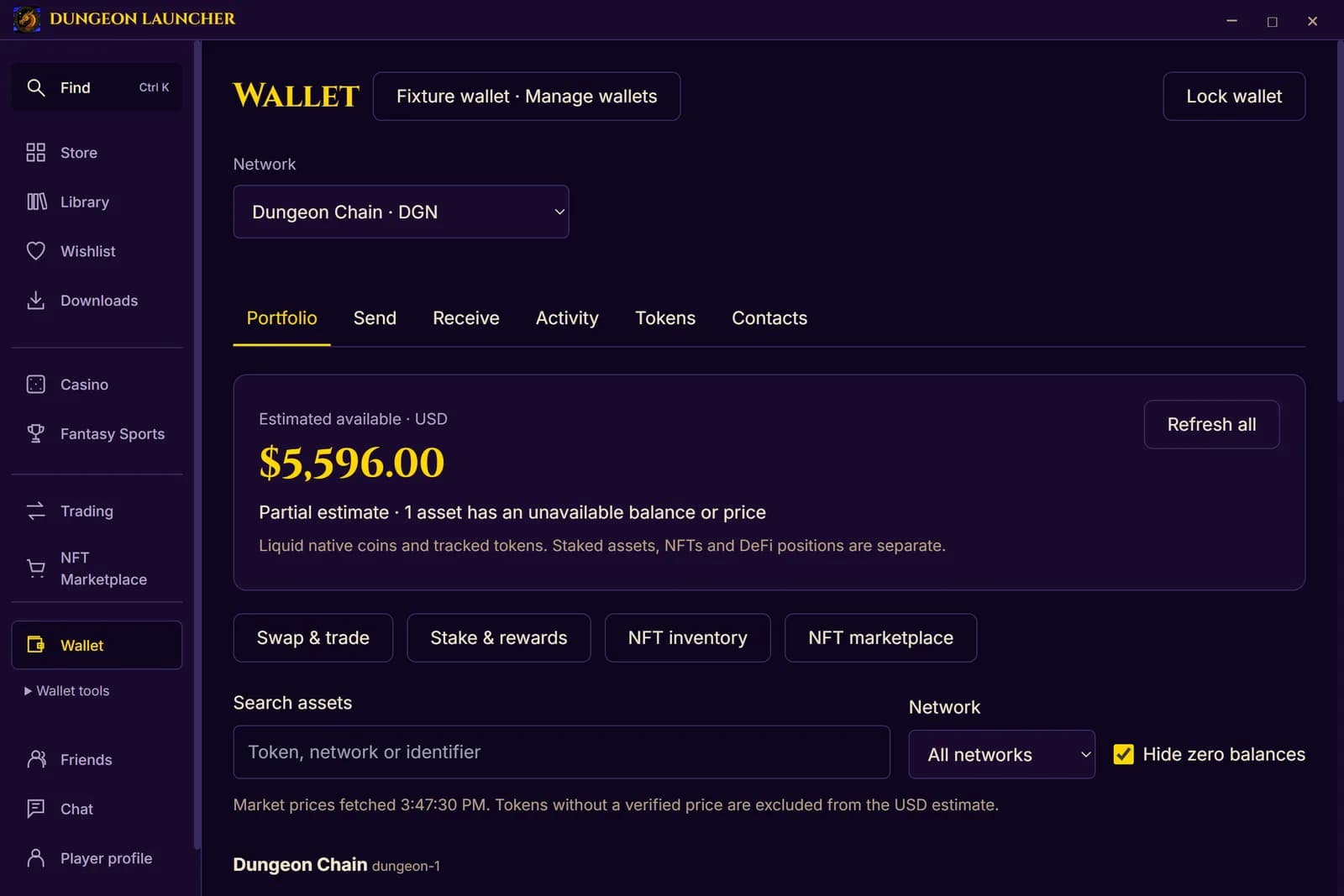
Games and worlds include Kosmic Dungeon, Kosmic Monsters, Ascendancy, Sky Mercenaries, Kosmic Dragoon, the original Kosmic Quest, Dungeon Casino, Dungeon Fantasy Sports, the Dungeon Arcade (Dragon Merge, Runeword, Tri-Peaks and more), Dungeon Academy, Oathforge and Kosmic. Browser games play in the launcher without installing anything; on Windows, Oathforge and Kosmic install through their own signed updaters. Those two native games remain in the Mac and Linux libraries but require Windows to play. Your library, wishlist and favourites save locally and can sync to a Dungeon account.
The wallet covers Dungeon Chain and seventeen more networks, including Cosmos Hub, Ethereum, Base, Solana and Bitcoin. Recovery phrases stay on your machine; the launcher never uploads them. You can browse the store without setting up a wallet. To play through the launcher, set up and unlock it first. Games still need your approval for each signature.
This is a beta
Read the Dungeon Launcher privacy policy for details about player sign-in, wallet information, cloud features, chat and crash reports, and the Dungeon terms of service, which cover the launcher.
It updates itself, often. Things will move around between versions while the store, library and wallet settle. If something breaks, say so in Discord with the version number from the title bar; the launcher also offers a one-click report when a game window crashes.
What you need
Windows 10 or 11, 64-bit, and about 1 GB free for the launcher and its web games. Native games add their own space: Oathforge about 3 GB, Kosmic considerably more. A Mac installation requires macOS 14 or later on Apple silicon or Intel. Linux packages support x86_64 computers. Browser games are available on all three platforms; native Windows games require Windows.